Have you ever walked up an extremely large flight of stairs (maybe something like the stairs shown in Figure 6.1.1) and after each step felt like you still had an extremely large flight of stairs to walk up?
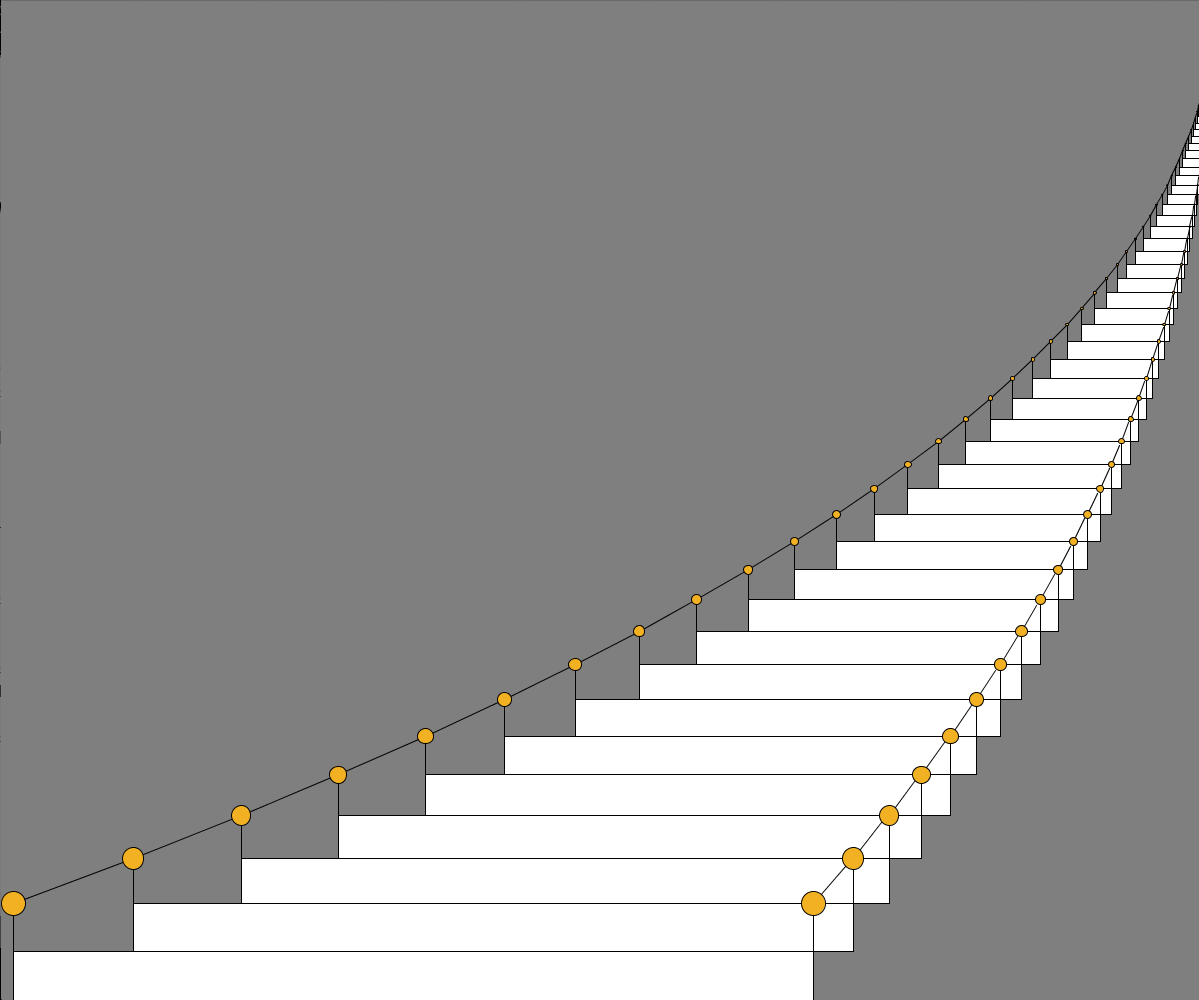
To develop a method to draw stairs, we are going to use the idea that a flight of stairs consists of a step followed by a slightly smaller flight of stairs. We say the structure of the stairs is recursive, which simply means that the main structure contains a smaller structure that is a simple variation of the main structure.
To draw the first step, we just need to draw a rectangle. Then we need to draw a flight of stairs that is slightly smaller, say with its first step being 90% of the width and 95% of height of the step we just drew. In other words, our method, drawStairs, to draw a flight a stairs consists of two steps:
- draw one step
- draw a flight of stairs whose first step is 90% of the width of the
step just drawn
and 95% of the height of the step just drawn.
We’ll include width and height parameters to allow the caller of drawStairs to specify how big they want the first step to be. In other words, drawStairs will take two parameters: stepWidth for the width of the bottom step, and stepHeight for the height of the bottom step.
Drawing the first step is easy: we just call Processing’s rect method, like so:
rect(0,0,stepWidth,stepHeight);
But how do we draw the smaller flight of stairs? The answer is both obvious and mind boggling. We just call our drawStairs method with new values passed in as arguments. In particular, we make the following call to drawStairs:
drawStairs(stepWidth*0.90f,stepHeight*0.95f);
Yes, drawStairs will call itself. Methods that call themselves are said to be recursive. Our recursive drawStairs method is going to look something like this:
void drawStairs(float stepWidth,float stepHeight) {
rect(0,0,stepWidth,stepHeight);
drawStairs(stepWidth*0.90f,stepHeight*0.95f);
} // end drawStairs()
Since the drawStairs method calls itself, keeping track of the values of the parameters can get confusing. Remember that every call to a method creates a table of local information available to that method. This table includes both parameters and local variables. Each call to drawStairs, then, creates a new stepWidth parameter and a new stepHeight parameter. The values of these parameters in any particular call to drawStairs are completely independent the values of the parameters in any other call to drawStairs.
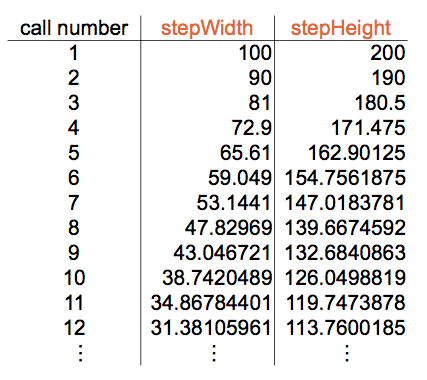
For example, consider an initial call to drawStairs with values 100 and 200 passed in for stepWidth and stepHeight. When drawStairs is run, it will call drawStairs with values 90 and 190 passed in for stepWidth and stepHeight. This method in turn will call drawStairs with values 81 and 180.5 passed in for stepWidth and stepHeight. The table in Figure 6.1.2 shows the sequence of calls.
Remember that each call has its own local stepWidth and stepHeight parameters.
There is one sort of disconcerting thing about the table above. We could expand the table to include call 13 and call 14 and call 15, and so on. Is there a final call or does this just go on forever? The way we have written the method, the calls go on endlessly. All recursive methods must have a way to terminate the recursion, that is, to stop calling themselves; otherwise, new method calls will be generated forever. In drawStairs, we could terminate the recursion when the width gets really small, say 5 pixels. Figure 6.1.3 shows the code we have so far.
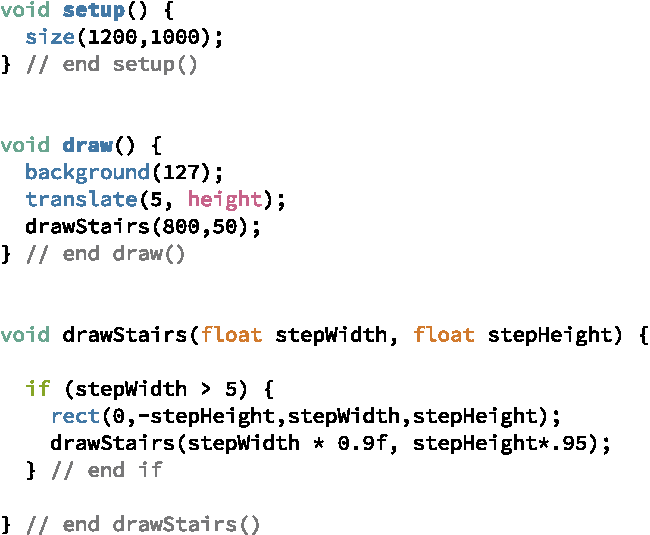
Figure 6.1.4 shows the result of running our program – not quite what we wanted, but at least it doesn’t run forever.
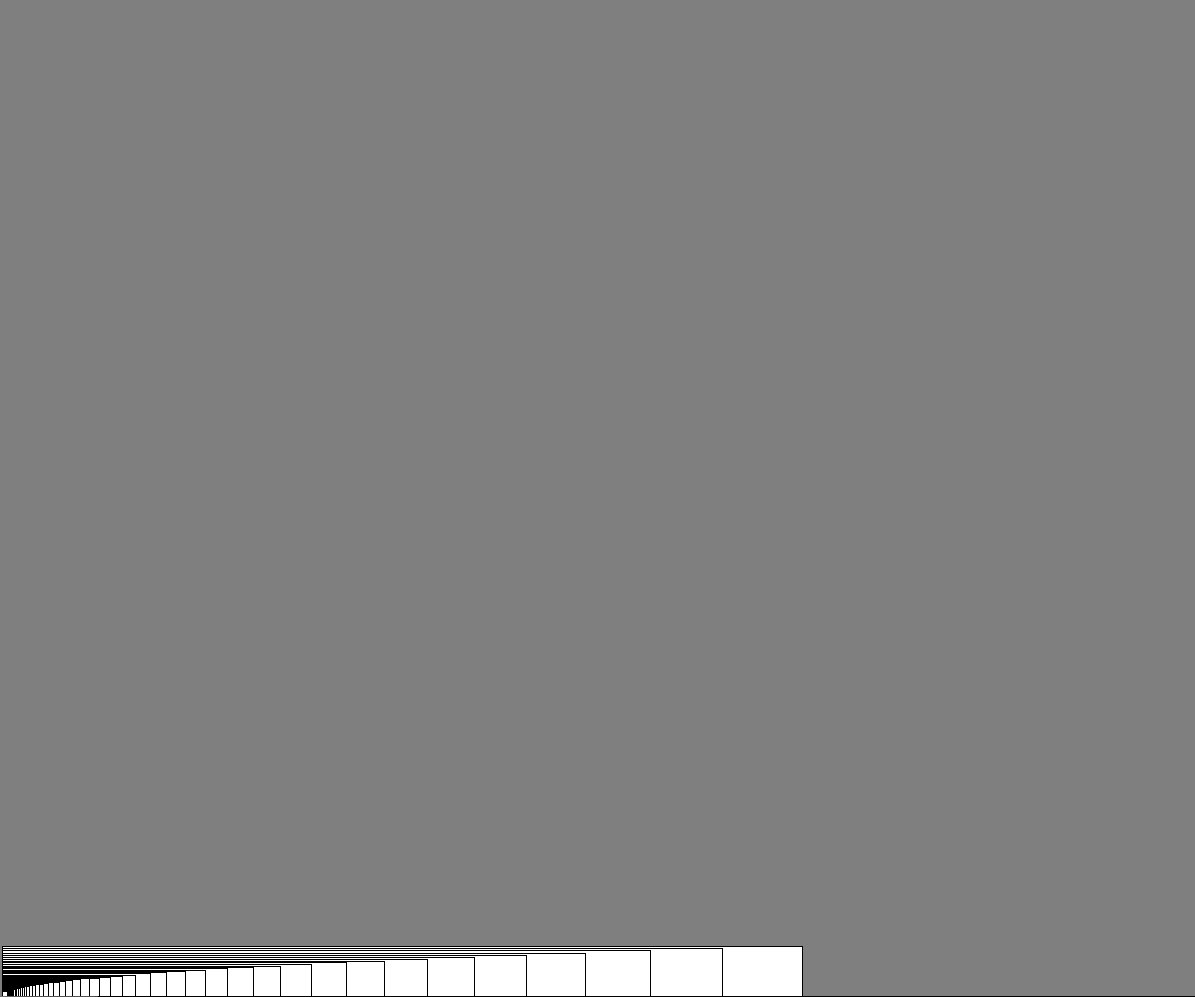
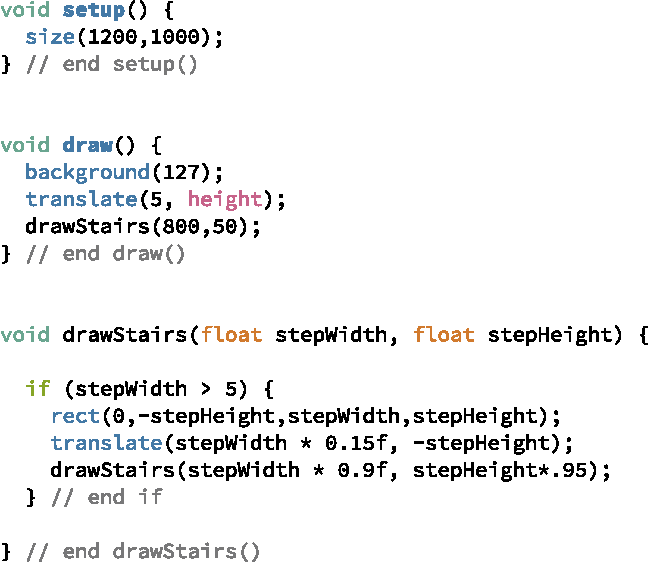
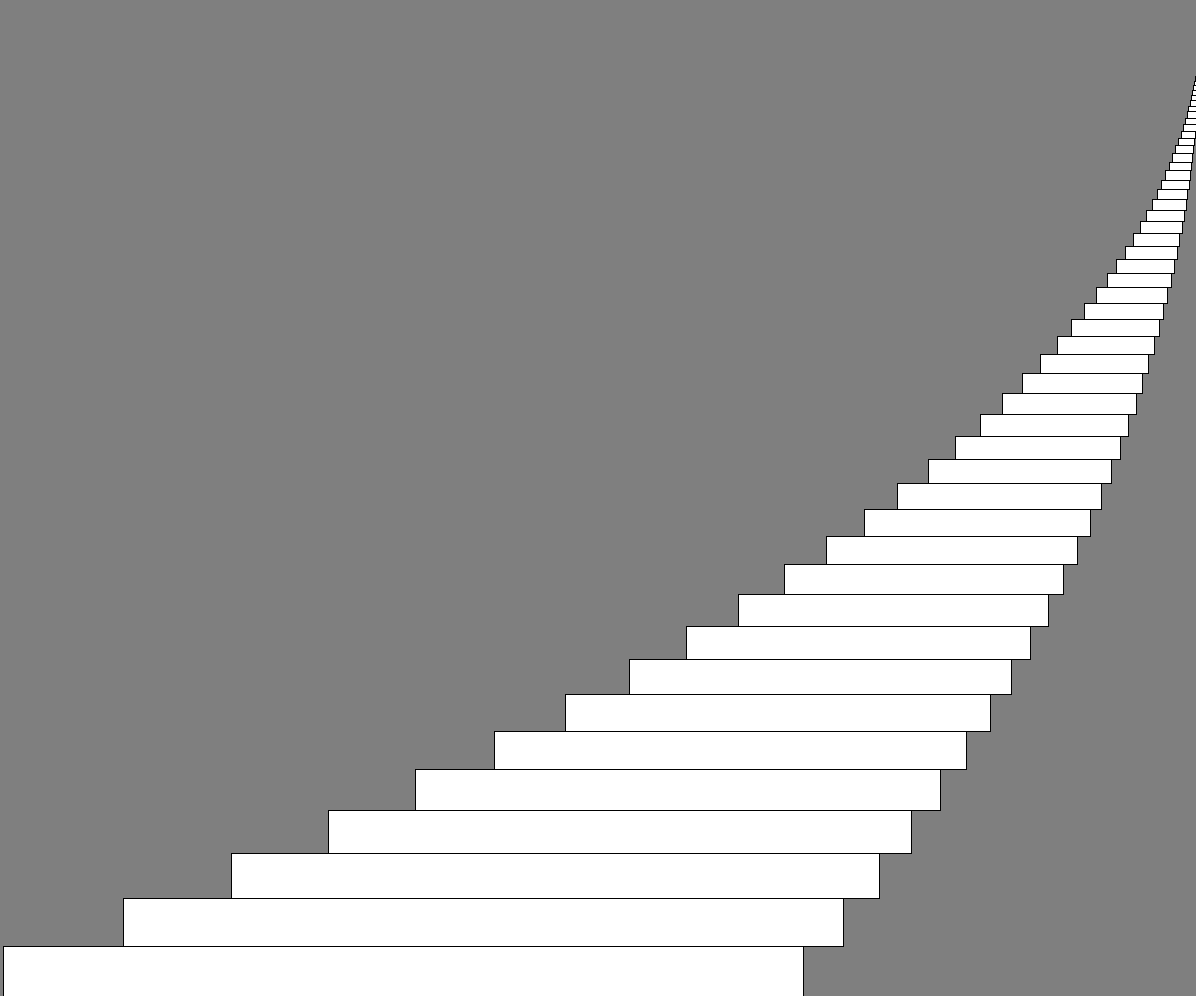
Each time our program drew a step, it drew it on top of the previous step. We need to translate the orientation of the window to a new position for each step. We can do this simply by adding a call to translate prior to the call to drawStairs. The amount of the shift should depend on the width of the current step, while the height of the shift should always be equal to the height of the current step. Let’s translate, then, by 15% of the stepWidth and –stepHeight. Figure 6.1.5 shows the final code, while Figure 6.1.6 shows the result.
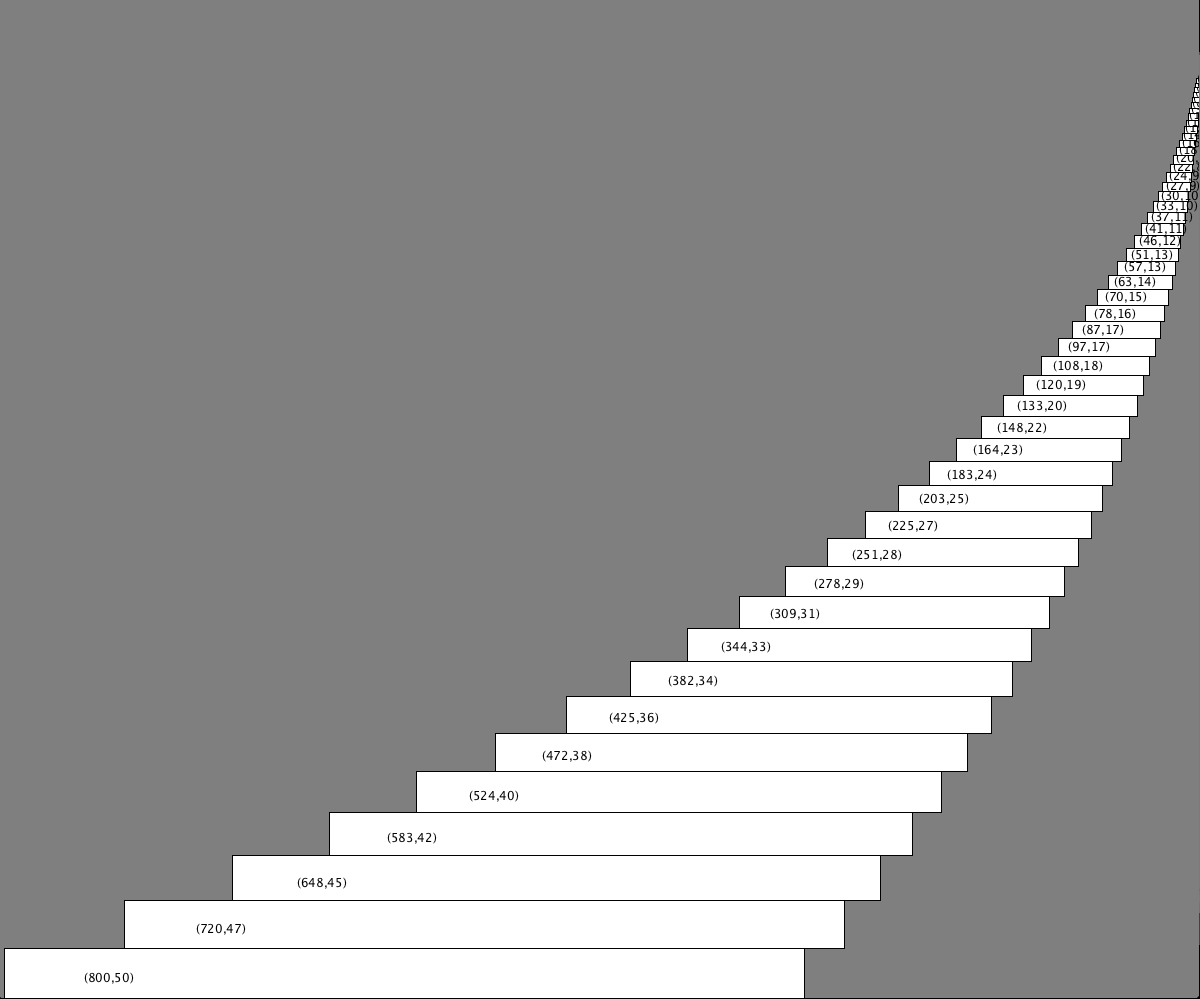
Exercise 6.0.1 Rewrite the drawStairs method to draw the stairs with the parameters shown on each step, as in Figure 6.1.7. To emphasize the local nature of the parameters, make sure your call to Processing’s text method occurs after the recursive call to drawStairs. (This will require the method to translate back to the original orientation before calling text.)
Exercise 6.0.2 The way drawStairs is written, each step is drawn before all of the steps above it on the stairs. Figure 6.1.8 illustrates this point. How could we write drawStairs so that the stairs are drawn in reverse, that is, with the steps higher in the staircase drawn first, as illustrated in Figure 6.1.9.1