Let’s change our House program a little so that instead of having the roof blow away when we click on the House, let{\apos}s remove the House when we click it. We can do that by simply removing the House from the list whenever it is clicked. Luckily, theArrayList class includes a remove method to remove object from the list. The remove requires that we pass the object to be removed as an argument. It then searches for the object in the list and removes it. Here is the modification of the code
Figure 4.4.1 shows how the code can be modified to remove the clicked House.
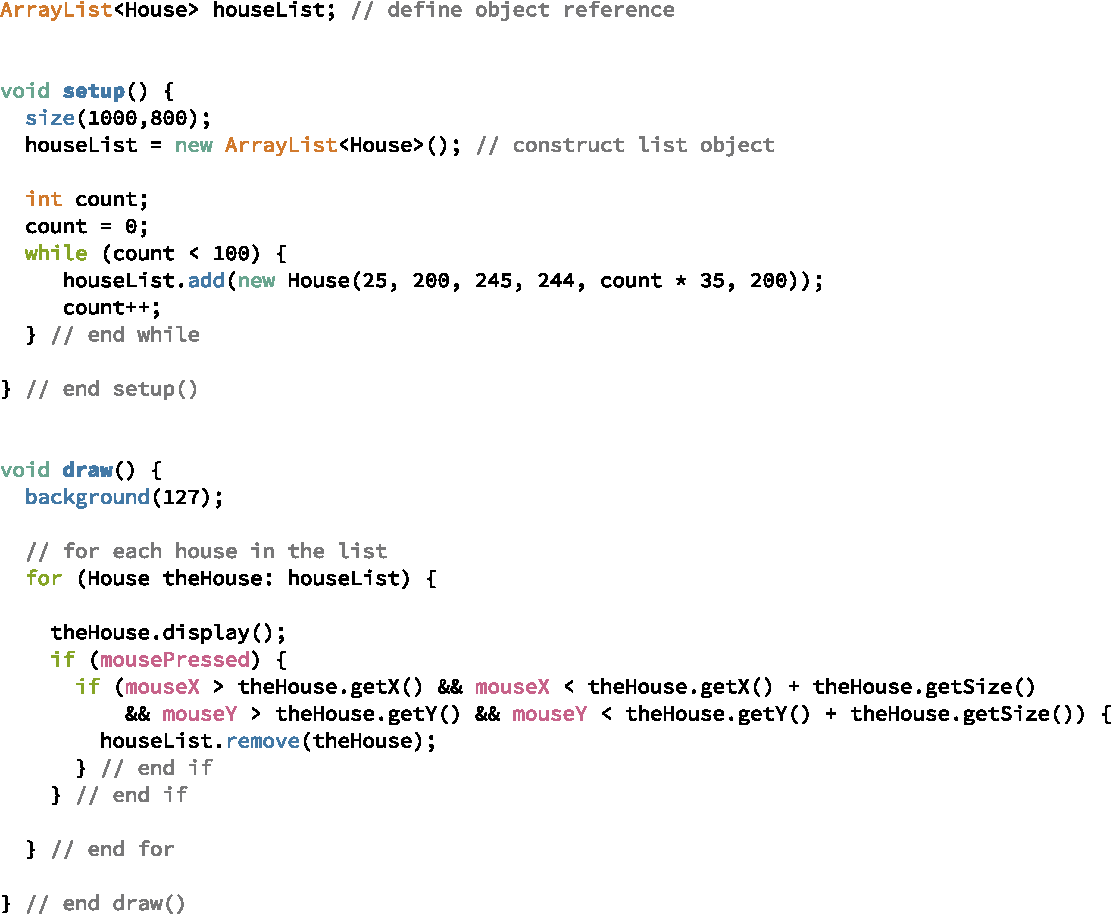
Unfortunately, when we run this modified program, the for-loop generates an error called a ConcurrentModificationException. What in the world does that mean? The for-loop over the list requires the list to remain intact until after the loop is finished with the whole list. If the list is changed while the loop is still working its way through the list, Java gets confused. Java gives us the ConcurrentModificationException to tell us that the list is being looped over using a for-loop concurrently with being modified. Exceptions are Java’s way of saying, “I am so confused!”
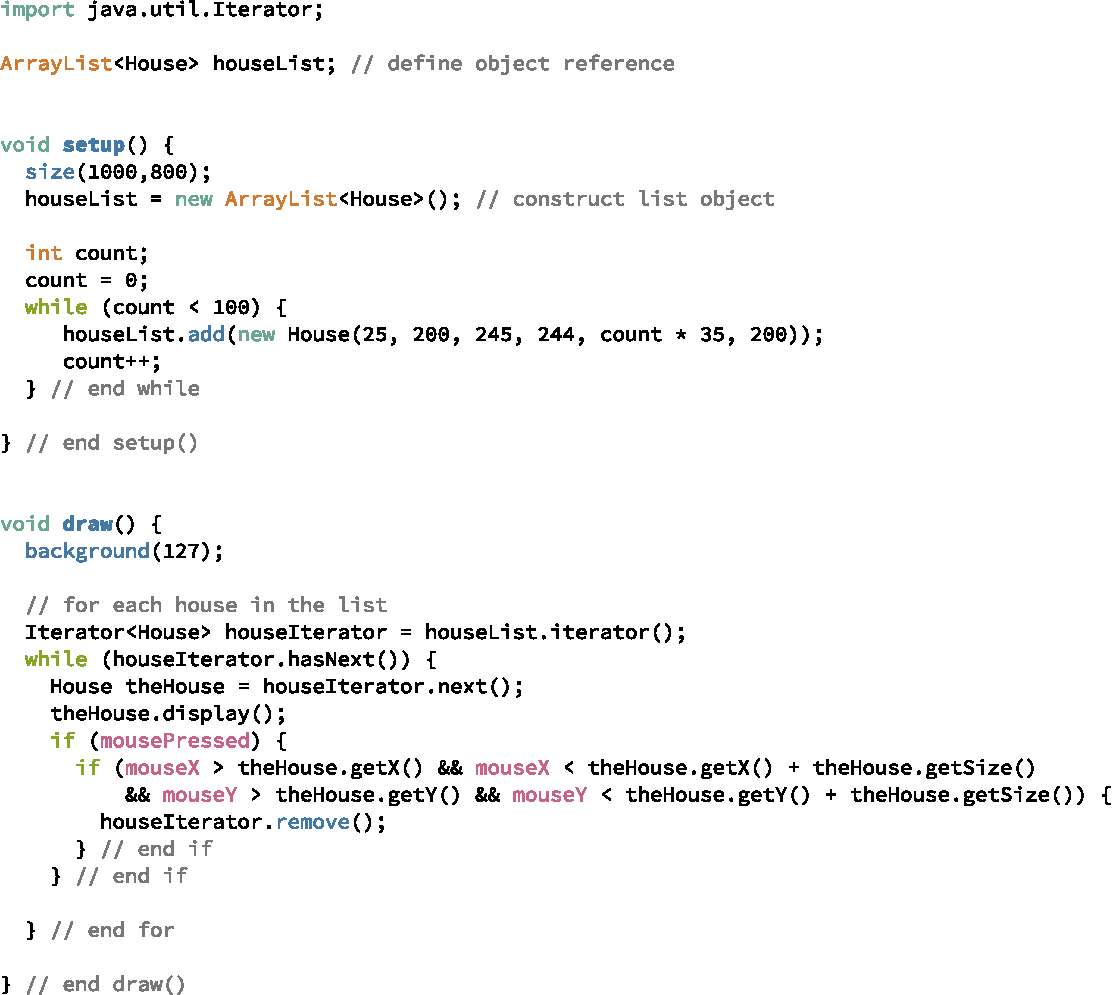
What can we do? Java provides another way to iterate over lists called an Iterator. With an Iterator, we can remove objects from a list while we are still working our way through the list. In other words, Iterators allow modifications to happen concurrently with loops over the list.
Like with the ArrayList class, Iterator’s require a type parameter to indicate what type of objects are stored in the list. The Iterator class includes three methods: hasNext, next, and remove. None of the three methods take any arguments. The hasNext returns a boolean value indicating whether there are any more objects to view in the list; the next returns the next object to be viewed; and the remove method removes the object that was returned by the previous call to next. Figure 4.4.2 shows how these methods can be used in a while-loop to remove Houses for our list when the user clicks on a House.