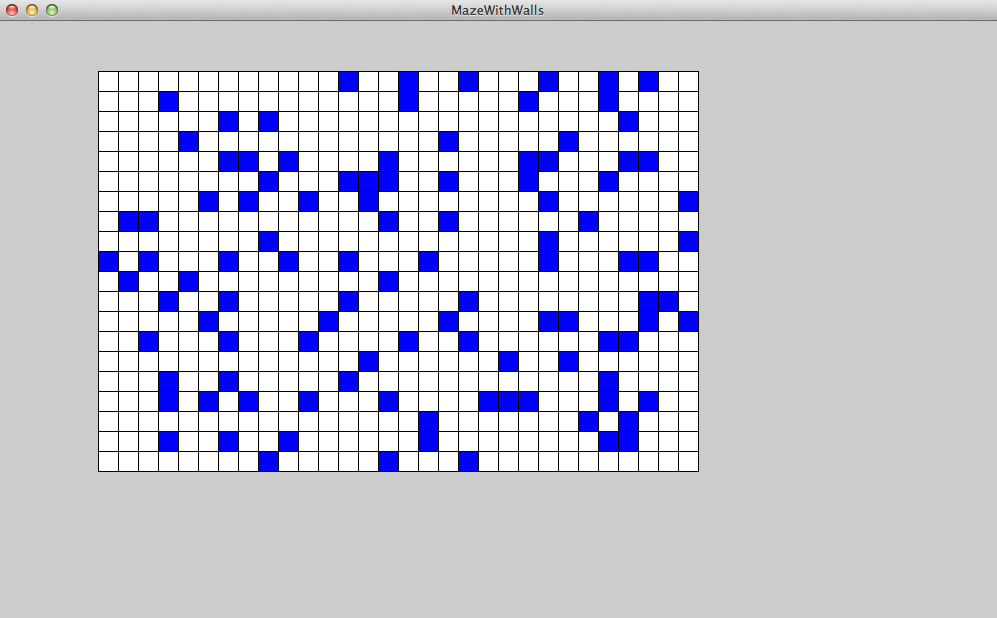
I am getting bored with houses, so let’s do something different. Let’s create a maze. When writing in an object oriented programming language like Java, it is important to think in an object oriented way. Think about the objects that make up a maze. There are many ways to break a maze into objects, but one way is to think of a maze as consisting of squares, which may or may not contain walls. For example, Figure 7.1 shows a simple grid of squares, where each square is either empty (shown as white in the figure) or contains a wall (shown in blue).
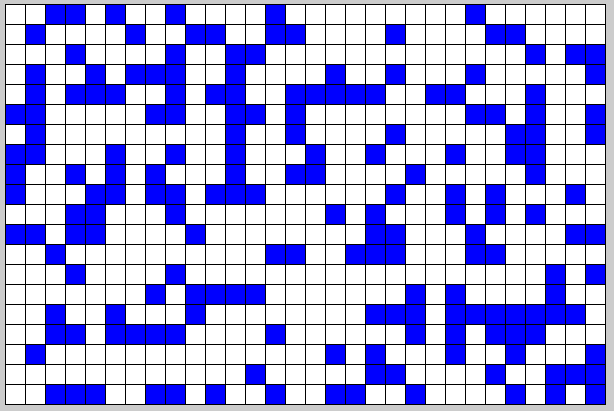
Right there, we have mentioned three types of objects: the maze itself, the squares, and the walls. So let’s start by writing three classes: a Maze class, a Square class, and a Wall class.
Next, we need to think about the attributes and methods associated with each object in our design. The Maze class consists of a grid of squares, so we will need a way to represent this grid as an instance variable. We have seen that Java provides the ArrayList to keep track of lists of object references. Can we make use of the ArrayList to keep track of a grid? We could just maintain a list of squares and figure out which square belongs in each row and column of the grid when we display the grid, but maybe there is a better way that makes our organization of the information more like that of the grid itself.
We can think of each row of the grid as a list of squares and the grid itself as a list of rows. The grid, then, is a list of lists. Since an ArrayList is an object that contains a list of object references, there is nothing that prevents us from having these references refer to other ArrayLists. Our grid then would be defined as an ArrayList of ArrayLists of Squares, like so:

That line looks confusing because it includes a lot of characters and it doesn’t look very English-like, but breaking it down part by part reveals the meaning. We have declared an ArrayList object reference named grid. When we declare an ArrayList object reference, we must specify the type of objects that will be referenced in the list. This is done using the type parameter inside the angled brackets. In this case, the type parameter is ArrayList< Square >. What does this mean? Well, an object reference with type ArrayList< Square > refers to a list of Squares. The grid we have declared above, then, is a reference to an ArrayList that maintains a list of references, where each reference in the list refers to an ArrayList that maintains a list of references to Squares. The grid is a list of lists. Simple, eh?
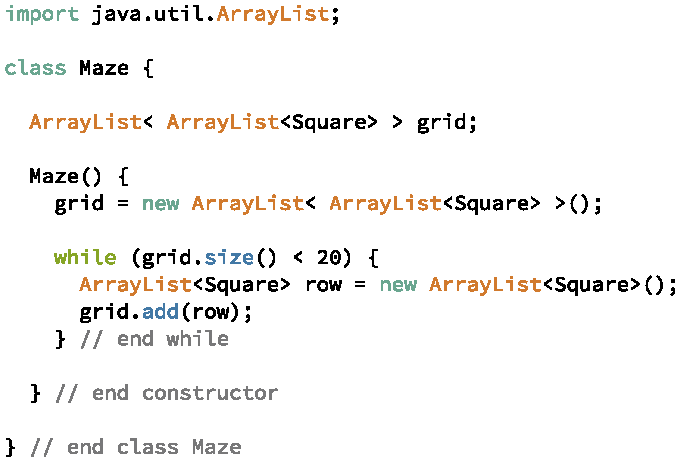
For the Maze to construct the grid, the Maze’s constructor needs to construct an ArrayList for the grid. Then it must construct an ArrayList for each row and add that row to the grid. For example, Figure 7.2 shows a constructor that adds twenty rows to grid.
Recall that when an ArrayList is first constructed, no object references are in the list. The objects to which the list is going to refer need to be created and references to those objects need to be added to the list explicitly. So although we have created an ArrayList of Squares for each row and added each row to grid, each row is an empty ArrayList until we construct Squares and add the Squares to the rows. Figure 7.3 shows a constructor that adds thirty Squares to each row. Each row that we create requires a loop that iterates 30 times. Inside the loop, a Square is created and added to the row. This inner loop is said to be nested inside the outer loop.
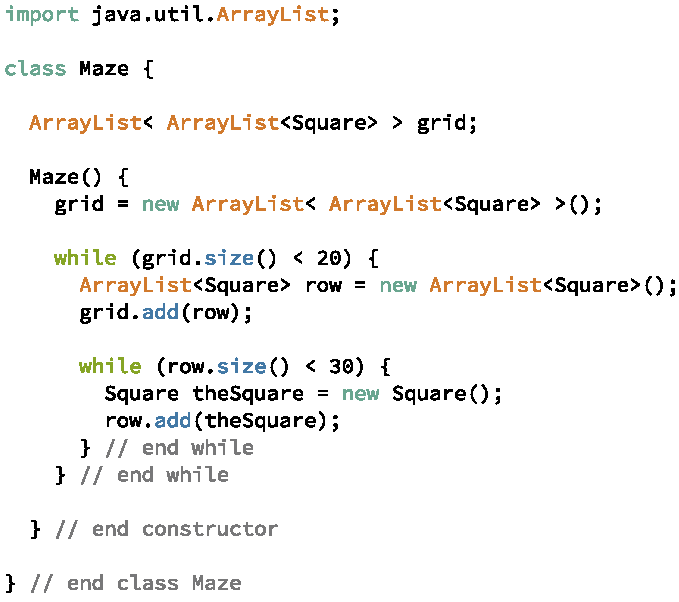
Looking closely at the way in which this code works, we can see that while the grid has less than twenty rows, the Maze constructor constructs a row, add it to the list of rows, and then executes the inner loop. The inner loop will iterate thirty times during each iteration of the outer loop. Each iteration of the inner loop constructs a Square and adds to the row a reference to the newly constructed Square. Since the outer loop iterates twenty times and the inner loop iterates thirty times during each iteration of the outer loop, there will be six hundred Squares constructed in all. This is exactly what we want since a 20 by 30 grid should have 600 squares total.
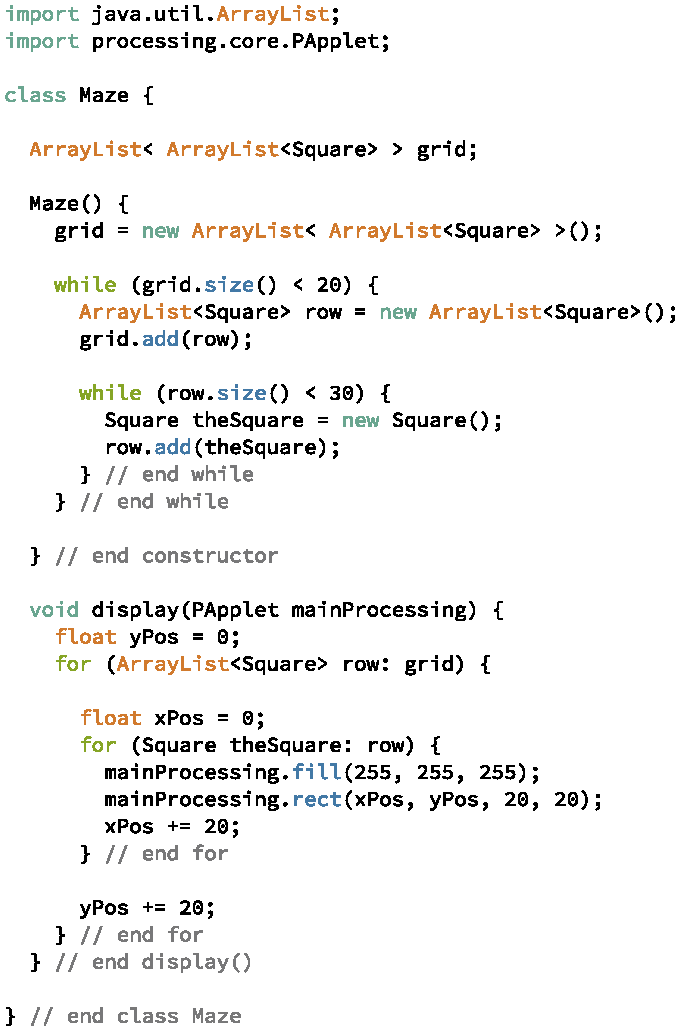
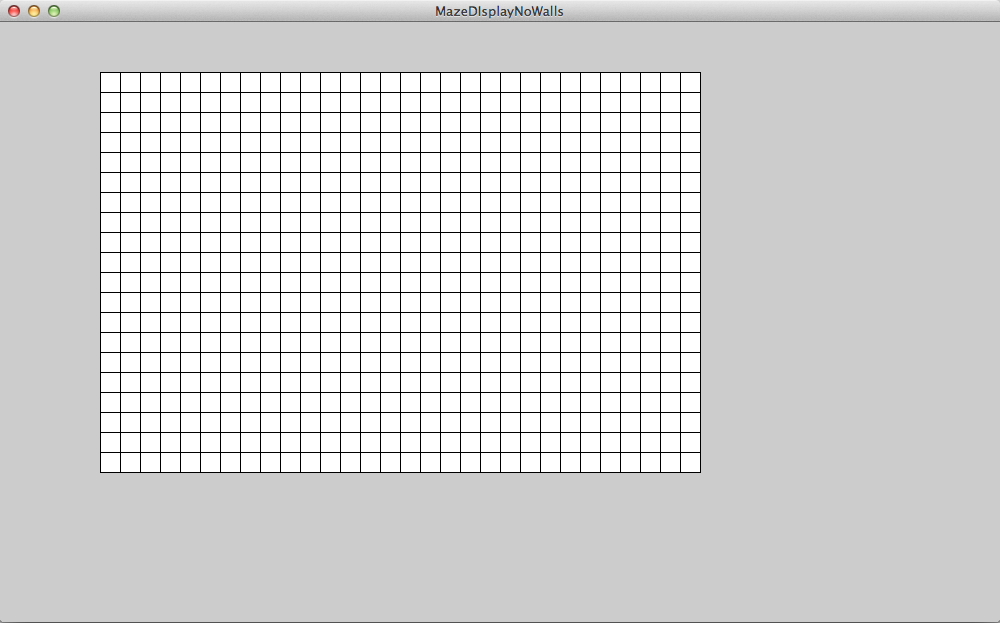
We will need a Square class, but so far the Square objects do not need to do much, so let’s create an empty class for the Square – we will add to it as we need to. The Maze will need a display method to draw the maze in the window. To keep our objects are separate as possible, the display method will take a reference to the main Processing object as a parameter. The display method needs to draw each square in each row, so it will include a nested loop similar to the nested loop in the Maze constructor. We can think of process that display follows as: for each row, for each Square in the row, draw the Square. Each Square in a row is drawn in the same y position but in a different x position from all of the other Squares in the row. We will use local variables to keep track of the proper x and y positions. The y position begins at 0 and increases with each row. At the beginning of each row, the x position must be set to 0; it will increase for each Square in the row. The code appears in Figure 7.4.
Notice that we import the PApplet class from the processing.core package because we need access to the main Processing object in display. Also notice that the variables xPos and yPos increase by the same value as that passed to rect for the width and height. One more thing to notice is that we assign the initial values to xPos and yPos on the same line as we declared them. Previously, we used two lines: one to declare the variable and one to assign the variable an initial value. Java allows us to combine these two lines into one, and this is typically what we do. Not only does the combined line give us more compact code, it also makes it easier to see what the initial value of the variable is and it makes it easier to remember to give each variable an initial value before it is used – a requirement in Java.
Walls Let’s add some walls to make this an actual Maze instead of a grid of empty squares. A wall occupies a square, so a wall could be thought of as an attribute of a Square object. To make the Squares as general as possible, let’s have the Square keep track of a list of occupants. The occupants themselves can be any object – right now we only know about walls, but we don’t know what kinds of things might occupy a Square in the future. In Java, if we want to create an ArrayList of generic objects, we specify Object as the type parameter. Any object we create can be stored in an ArrayList defined with type parameter Object. Since the Square keeps track of an ArrayList of occupants and we may want to add occupants, remove occupants, or check to see if a particular occupant is in the Square, let’s also add methods for each of these actions. The complete code for the Square class is shown in Figure 7.6.
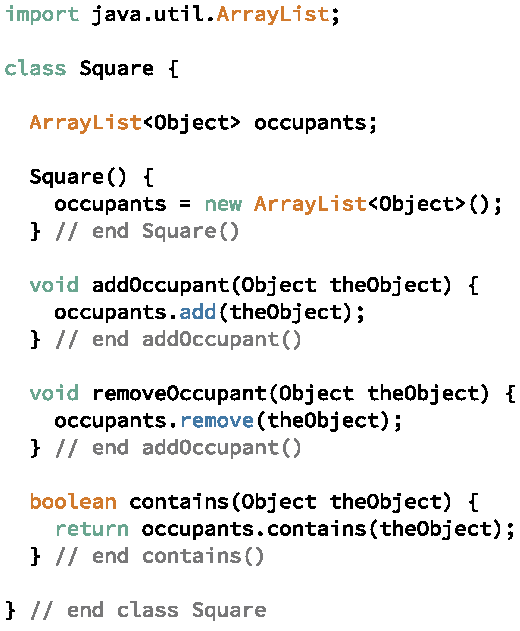
As usual, we import the ArrayList from the java.util package; define an instance variable, in this case named occupants, for the ArrayList; and construct the ArrayList object in the constructor for the Square. The three methods, addOccupant, removeOccupant, and contains, simply call the corresponding methods in the ArrayList.
In the Maze class, we can now add Walls to the Square’s by creating the Walls and passing a reference to the Walls to the addOccupant method. Since the Walls don’t do anything at this point but take up space, to minimize the number of objects created, we will create one Wall object that the Maze will add to every Square in which a Wall should be placed. We will make the Wall’s object reference an instance so we can refer to it later when testing to see if a Square contains a Wall.
When should we add the Wall to a Square? We have lots of options, but for now let’s randomly choose to add a Wall to a square at the time that we construct each Square, that is, in the constructor for the Maze. To allow for Mazes with different Wall densities, we will alter the constructor for Maze to take a parameter indicating the likelihood that any Square contains the Wall. For example, if 0.2 is passed into the Maze constructor, the constructor has a 20% chance of adding the Wall to each Square.
The modified Maze class is shown in Figures 7.7 and 7.8. Because the constructor does not have access to the main Processing object, it must rely on Java’s built in random method Math.random. Math.random returns a randomly number in the range 0 to 1. To determine whether the Maze should add the Wall to any particular Square, the constructor compares the value returned by Math.random to the value passed in as the chanceOfWall parameter. For example, if the chanceOfWall parameter is 0.2 and the random number returned by Math.random is 0.1234567, the constructor will add the Wall to the Square just constructed. If the random number returned by Math.random is 0.56789, however, the constructor will not add the Wall. Since Math.random returns every number between 0 and 1 will the same likelihood, 20% of the time it should return a number below 0.2. Therefore, we would expect the constructor to add the Wall to approximately 20% of the Squares.
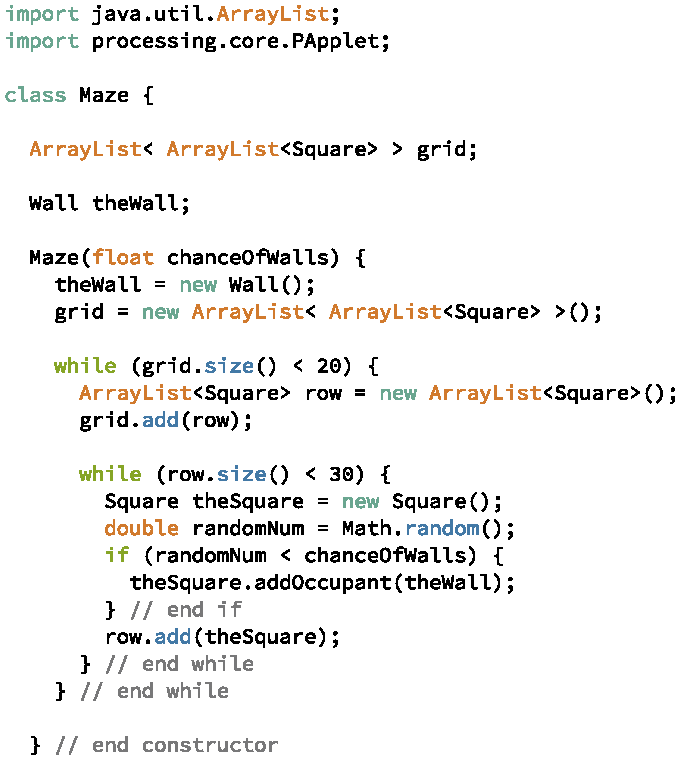
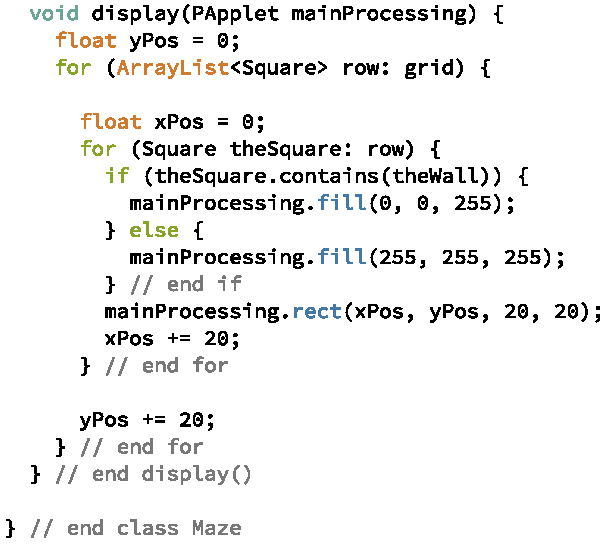
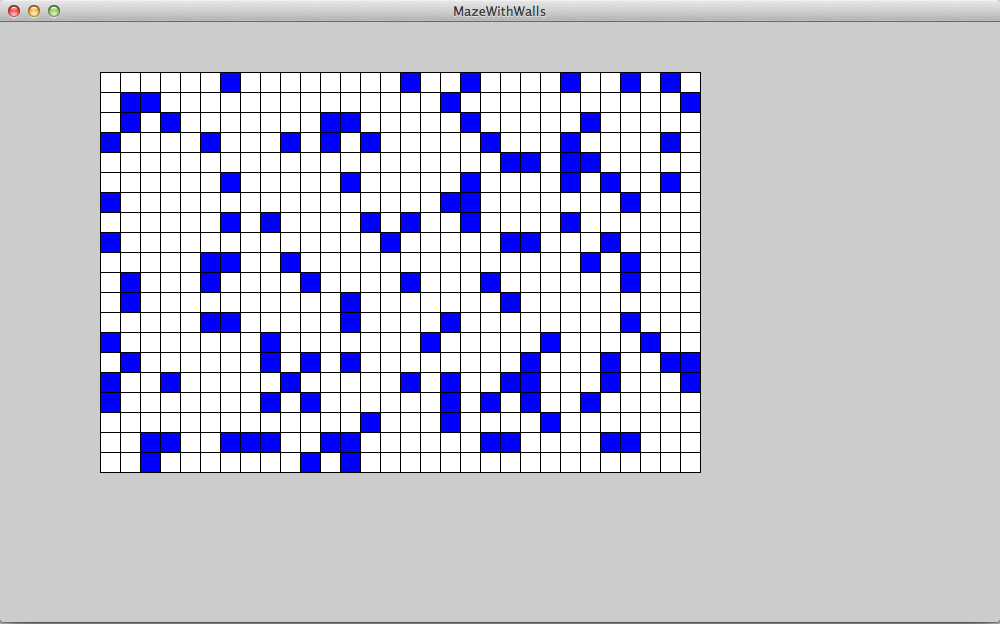
The display method is shown in Figure 7.8. The method calls each Square’s contains method to determine if the Square contains the wall. If it does, display sets the fill to blue; otherwise, it sets the fill to white. Figures 7.9 and 7.9 shows the Maze displayed on two different runnings of the program. Each time the Maze was constructed with 0.2 as the chanceOfWall parameter. Because the Maze decides which Squares will contain the Wall randomly, each run of the program will generate a different Maze (or at least is very likely to generate a different Maze).