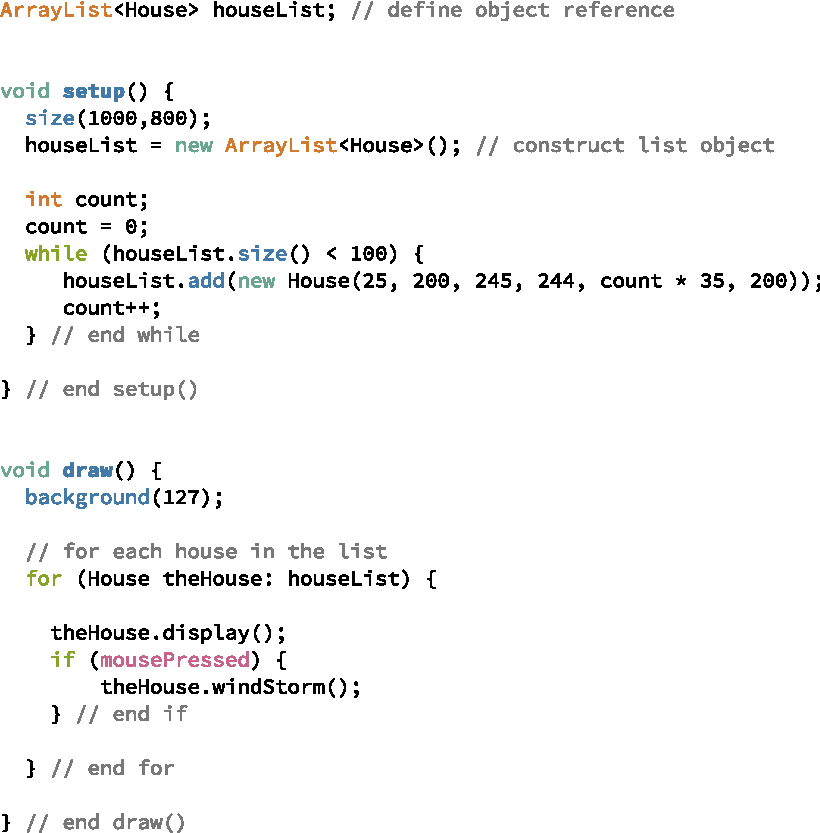
Now that we can draw four houses, let’s try to create one hundred houses. We don’t want to have one hundred copies of the line of code that creates new Houses and adds them to our list. Instead, we need some way to tell Java to repeatedly create Houses and add them to our list until we have one hundred of them. Java includes another type of loop, called a while-loop for just this type of thing. The general format of the while is the same as that of the if-statement, except that the word while replaces the word if:
while ( some condition is true ) {
do some stuff
} // end while
Unlike the if-statement, which executes the specified block of code once if the condition is true, the while-loop repeatedly executes the specified block of code while the condition remains true. First, Java checks the condition on the while-statement. If the condition is true, then Java executes the code inside the squiggly brackets, that is, the body of the loop. Only after executing all of the code in the body of the loop, does Java check the condition again. If the condition is true again after an iteration of the loop, Java executes the body of the loop again. This process continues until upon checking the condition before executing the body of the loop, Java determines that the condition is false. In that case, Java will move to the line immediately after the squiggly bracket indicating the end of the loop’s body.
We can use a while-loop to add new Houses until the list contains 100 object references as shown in Figure 4.2.1. The condition on the while-statement makes use of the ArrayList’s size method, which returns the current number of references in the list. While this size is less than 100, the loop will construct new Houses and add them to the list.
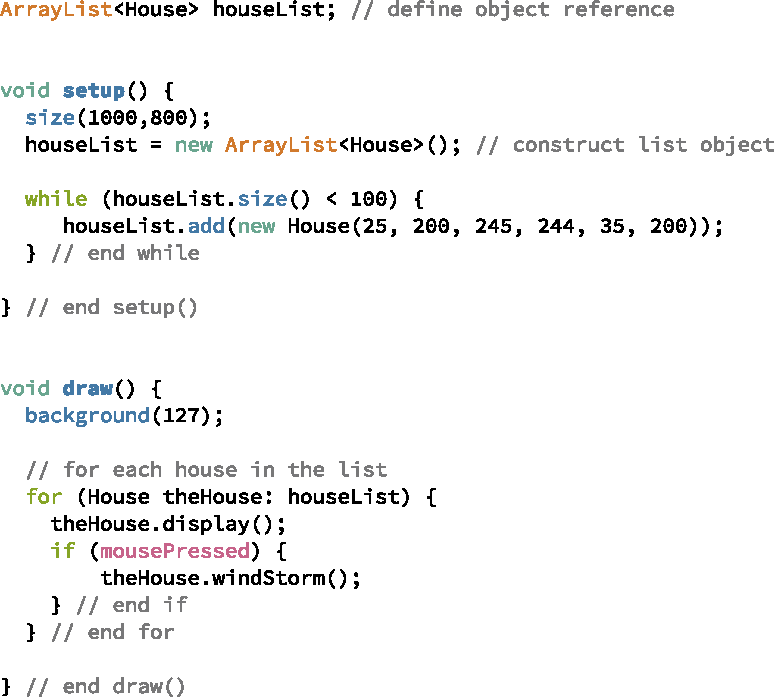
Watching this program in action is a little disappointing. As you can see from the window displayed in Figure 4.2.2, only one House appears in the window. This is because we created 100 Houses with identical positions – the Houses are drawn on top of each other, so we only see one.
To fix this problem, we need to change the initial position of the House as specified on the parameters to the constructor. This can be accomplished by keeping a local variable that is incremented each time we create a new House. For example, Figure 4.2.3 shows how the while-loop can be changed to include a count of the number of Houses created so far. The variable count is initialized to 0. While the value of count is less than 100, we create a new House, add it to the list, and increment the count. Each House’s initial x-position is set to count * 35. That makes each House’s initial x-position dependent on the number of Houses that have been created before it – each will start 35 pixels from the start of the previous House. Figure 4.2.4 shows the Houses created, or at least some of them, since many are drawn beyond the end of the window.