We are now ready to make the Monster follow the mouse around the window. If you were to describe the window shown in Figure 1.1, you might say something like, “There is a Monster centered at the point 100 pixels in from the left and 125 pixels down from the top, and the Monster is being poked in the right eye by the mouse.”
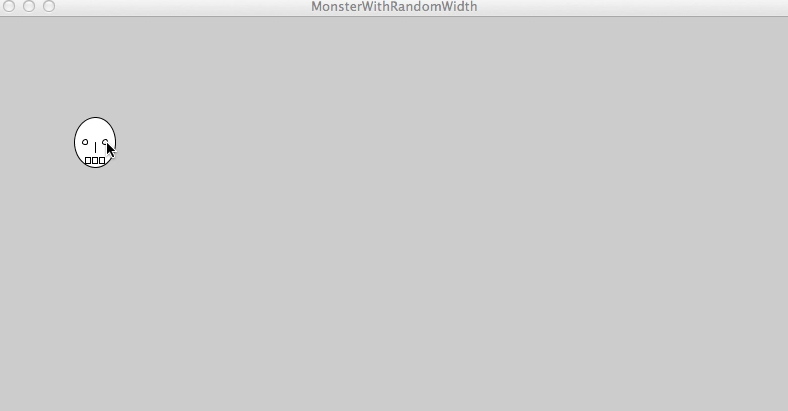
Since the position of the mouse is something we would used to describe the window, it is an attribute of the main Processing object. Since it is an attribute that changes, the main Processing object should have some sort of variable that keeps track of the current position of the mouse. Because we need two numbers to describe the position of the mouse, the main Processing object has two variables to keep track of the mouse location: mouseX stores the number of pixels the mouse is currently in from the left and mouseY stores the number of pixels the mouse is currently down from the top. As we move the mouse around the window, Processing updates the values of those variables so they reflect the current mouse position. Since the values kept by mouseX and mouseY are numbers, we can use these variables anywhere we can use a number, just like we can use a call to the random method anywhere we can use a number. For example, if we want to draw an ellipse at the current mouse position, we can pass mouseX and mouseY in as the first two arguments, like so: ellipse(mouseX, mouseY, 50, 50).
The code to make the Monster follow the mouse around the window appears in Figure 1.2.
void setup() {
  size(800,400);
} // end setup()

void draw() {
  ellipse(mouseX, mouseY,50,50);
  line(mouseX, mouseY, mouseX, mouseY+10);
  ellipse(mouseX-10,mouseY,5,5);
  ellipse(mouseX+10,mouseY,5,5);
  rect(mouseX-10,mouseY+15,5,6);
  rect(mouseX-3,mouseY+15,5,6);
  rect(mouseX+4,mouseY+15,5,6);
} // end draw()
Figure 1.3 shows the result of running the program.
As you can see from the figure, this didn’t give us exactly what we wanted – the monster leaves an image everywhere it appeared. Recall that to wipe out what we previously drew, we need to tell the main Processing object to redraw the background every time it redraws the window; otherwise, anything we previously drew will still be in the window. Sometimes leaving the background alone is useful, but in this program we need to get rid of it. We can call the background method in draw to tell the main Processing object to redraw the background with a specific color.
We can add the call to background as the first line of draw, giving us the code in Figure 1.4 and the desired result in Figure 1.5.
void setup() {
  size(800,400);
} // end setup()

void draw() {
  background(127,120,200);
  ellipse(mouseX, mouseY,50,50);
  line(mouseX, mouseY, mouseX, mouseY+10);
  ellipse(mouseX-10,mouseY,5,5);
  ellipse(mouseX+10,mouseY,5,5);
  rect(mouseX-10,mouseY+15,5,6);
  rect(mouseX-3,mouseY+15,5,6);
  rect(mouseX+4,mouseY+15,5,6);
} // end draw()