First, we have to decide which object is going to detect that the mouse has been pressed. We could put this in the Roof object, or the House object, or the main Processing object. If we put it in the Roof object or the House object, we have limited our ability to use these types of objects in other programs. For example, suppose we decide later that we want to have a House object in a less destructive program – perhaps one in which the mouse being pressed causes flowers to blossom in front of the House. If detecting the mouse being pressed is the House’s responsibility, we would have to create two copies of our House class – one that tells the Roof to blow away and one that tells some flower object to display itself. Neither of these options is terribly appealing. It would be nice to have one House class that we can reuse in many different programs without having to have a lot of specialized code in the House class for each program that uses it. The same can be said about putting the mouse pressed detection code in the Roof class.
For that reason, it seems like it would be a good idea to have the main Processing object detect the mouse being pressed. The main Processing object is the part of the program that is specific to this particular application; it is not an object that we would likely want to reuse later in another application.
When the mouse is pressed, the main Processing object, which has a reference to the House object but not the Roof object, needs to tell the House object to have the Roof blow away. So, we can see immediately that we need two additions to our program. First, we need code in the main Processing object to determined whether the mouse is currently pressed. Processing makes this easy: mousePressed is a Boolean variable in the main Processing object; it has a value of true when the mouse is pressed and false when the mouse is not pressed.
The second thing we need is some way for the main Processing object to tell the House object that it is time for the roof to blow away. For the main Processing object to communicate with the House object, the House object must have a method to facilitate this communication. In this case, let’s call the method windStorm.
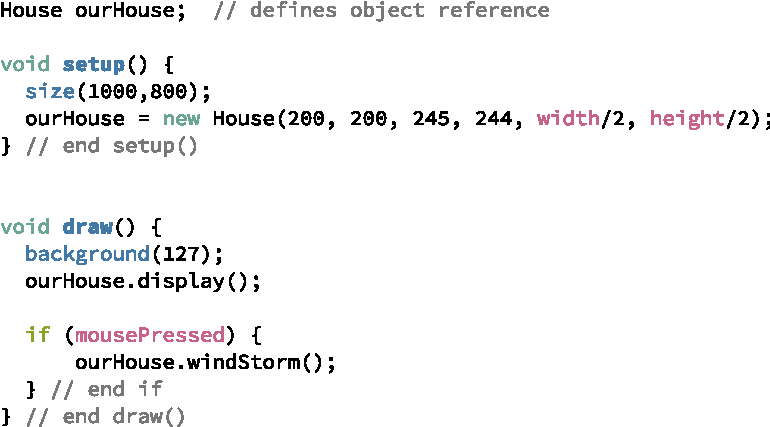
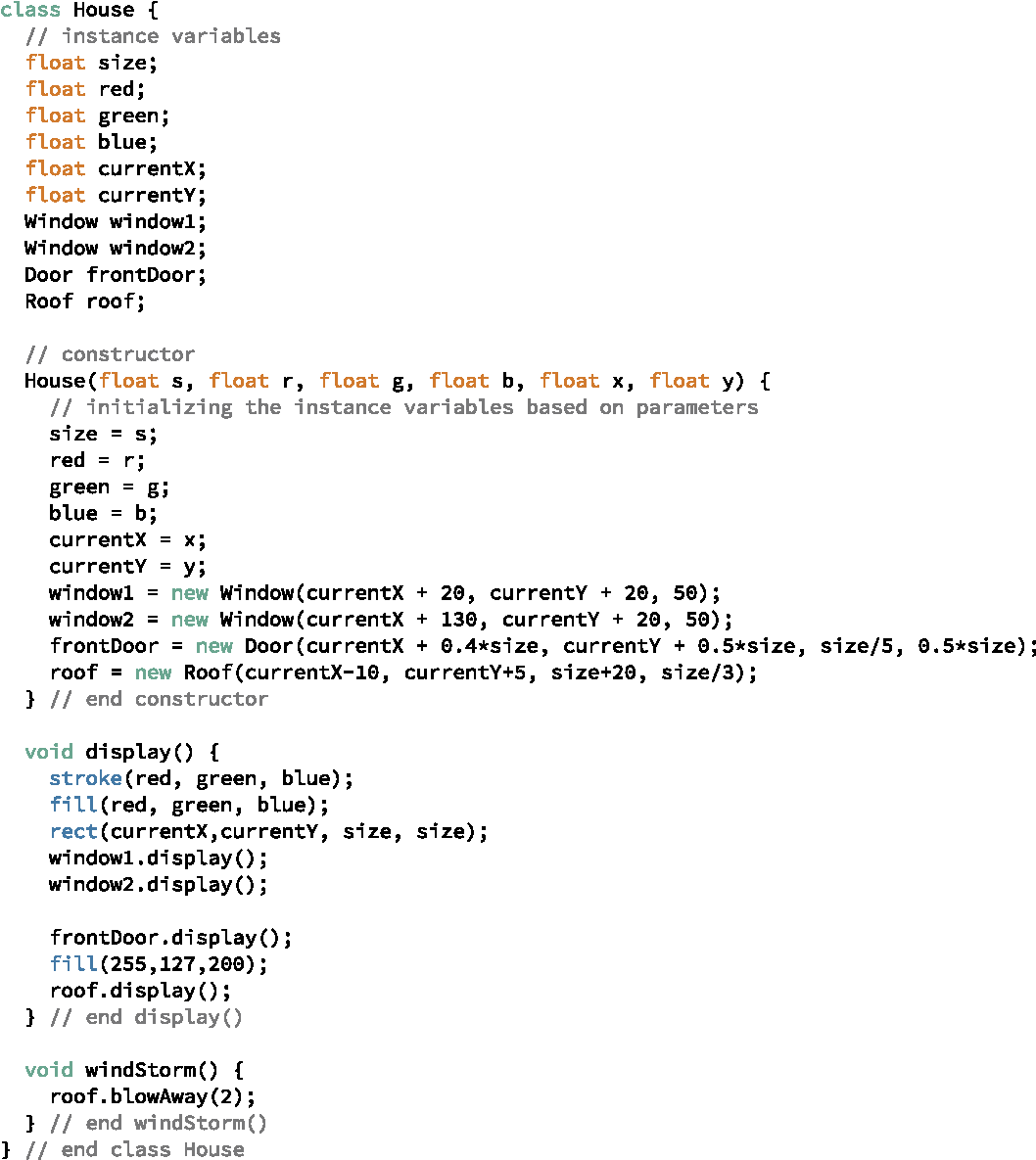
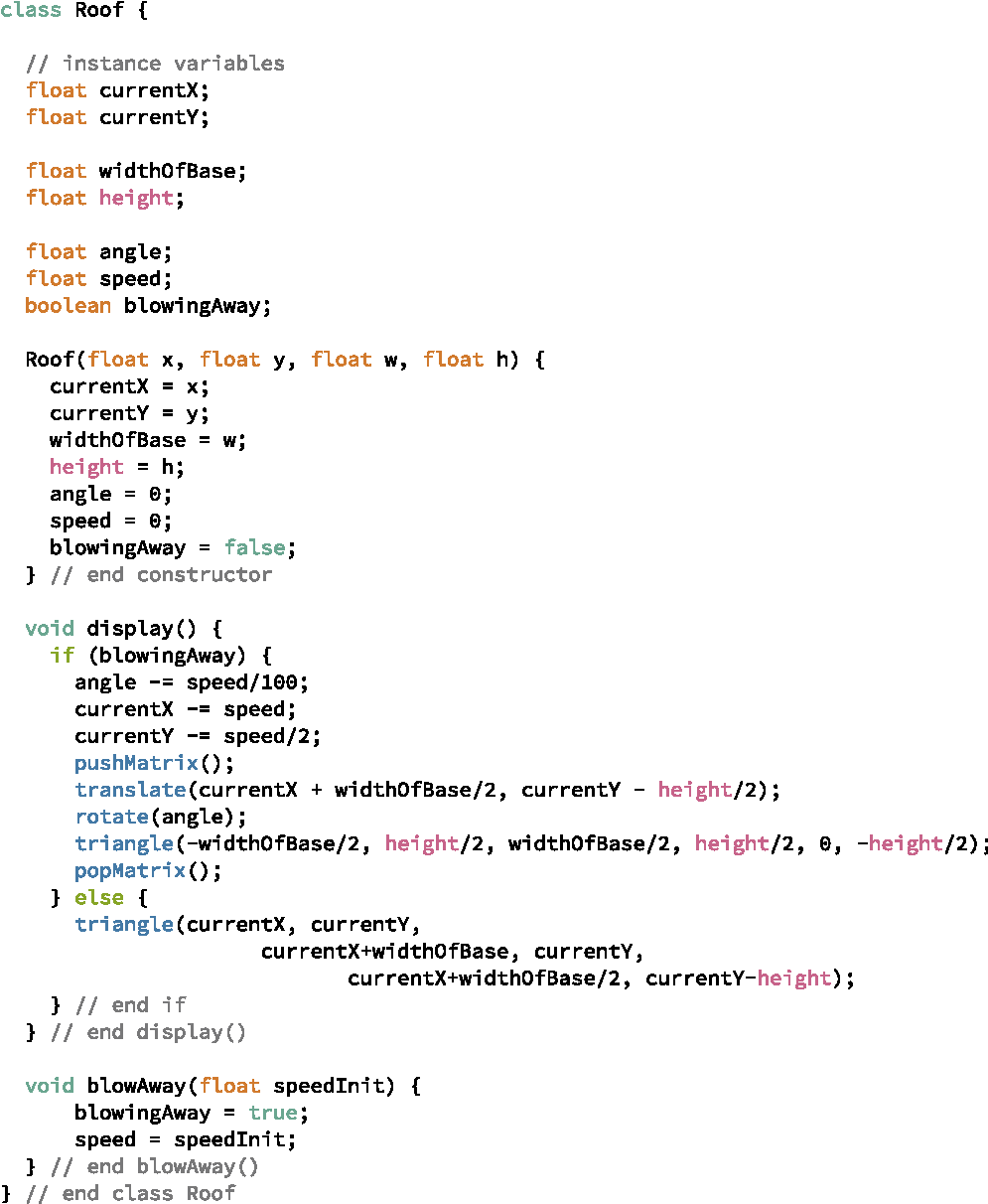
Figure 3.3.3 shows the changes to the Roof class. The blowAway method has been added to the Roof class along with instance variables blowingAway and speed. The blowAway method assigns speed based on the parameter and sets blowingAway to true. The display method now checks the value of blowingAway to determine where the roof should be drawn.